Before proceeding with the GembaDocs On-Premises installation, please ensure that the following prerequisites and requirements are met.
1. Operating System
The server must have a fresh installation of Ubuntu Server 22.04 or higher.
The server should be dedicated to the GembaDocs On-Premises application.
2. Server Specifications
The server should meet the following minimum requirements:
Operating System: Fresh Ubuntu Server 22.04 or higher
Storage: Minimum 100 GB of available storage
Recommended Storage:250 GB or more
Ensure that no existing web server or database services are installed on the server.
3. Fresh Server Requirement
The server must be a fresh/clean Ubuntu installation.
Apache, Nginx, MySQL, or other web server/database software should not be pre-installed.
No existing applications or services should conflict with the GembaDocs installation.
4. Domain & IP Configuration
The domain that will be used to access the GembaDocs On-Premises application must already be configured and pointing to the appropriate public IP address or private IP address of the server.
DNS configuration and domain pointing should be completed before the GembaDocs installation begins.
5. SSL Certificate & Security
For enhanced security, it is recommended to provide a valid SSL certificate for the domain used to access GembaDocs.
The SSL certificate will be used to encrypt data in transit between users and the GembaDocs application.
The customer is responsible for providing the required SSL certificate files, if applicable.
6. Customer Responsibility
The customer is responsible for ensuring that the server meets all the above prerequisites before the installation.
Any required firewall rules, network access, DNS configuration, IP whitelisting, VPN access, or other infrastructure-level requirements should be configured before installation.
Delays caused by incomplete prerequisites or an incorrectly configured server may affect the installation timeline.
Network Environment
Do you have a public server IP address or a private/local IP address?
🌐
Public IP Address
Target server is accessible from the internet (e.g. AWS EC2, DigitalOcean, Azure, etc.). Proceed using the web setup wizard.
🏠
Private / Local IP
Target server is on a private network or intranet (e.g. 192.168.x.x, 10.x.x.x). Run the setup wizard locally.
Download Offline Installer
Since your target server is on a private network, download and run the setup wizard locally on a machine connected to that same network.
⚠️ Note: macOS is not supported for offline local installation. Only Windows and Ubuntu/Linux are supported.
🪟 Windows Installation Guide & Important Notes
Run the Installer: Double-click the downloaded .exe file to launch the setup.
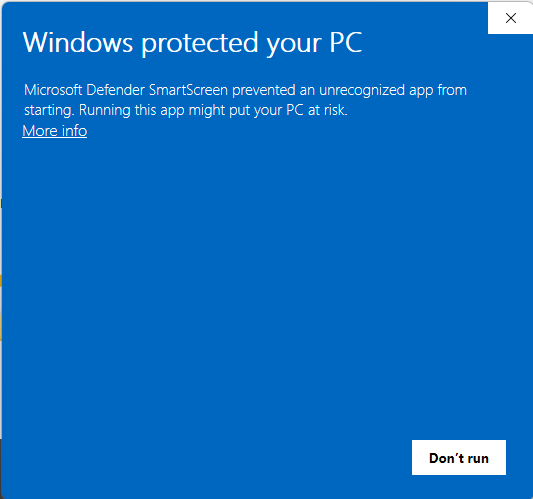
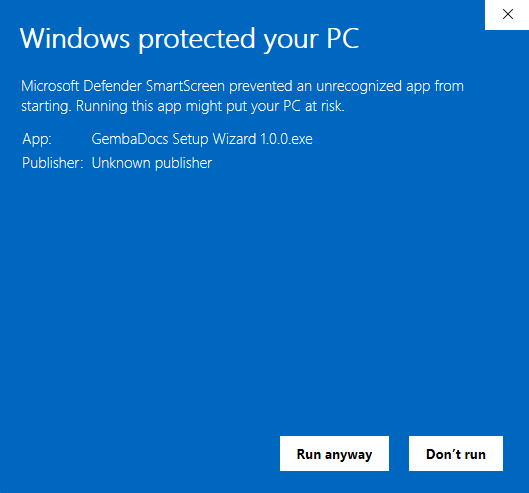
Windows SmartScreen Warning: If Windows Defender / SmartScreen warns you about an unrecognized app, click "More info" and then select "Run anyway" to proceed.
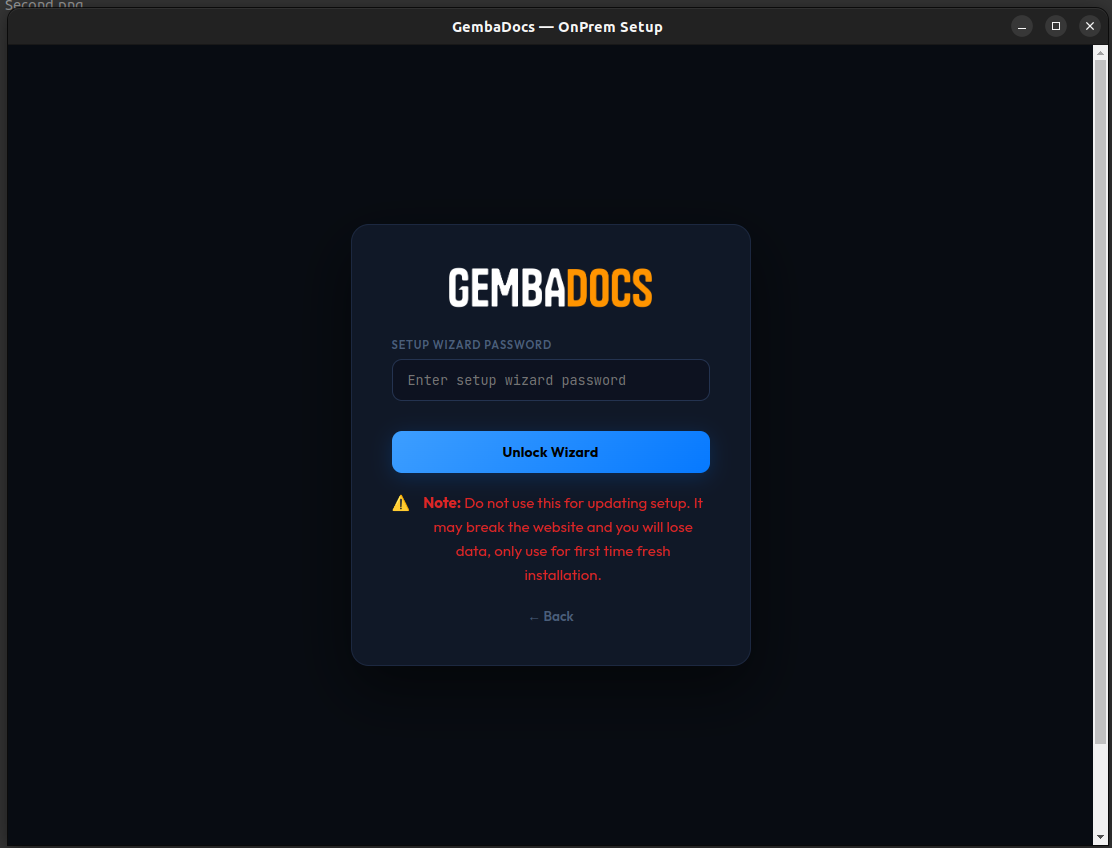
Setup Password Required: Upon launch, the installer will prompt you for a password. This password will be provided by the GembaDocs Support Team once your account has been created by them.
Server Connectivity & Access: Make sure your Windows machine:
Has direct SSH access to your target on-premises Ubuntu server.
Knows the Private IP Address of the Ubuntu server.
Has the SSH login credentials (password or private key) of the server.
Data Migration: If you already have an existing GembaDocs account, we will be able to transfer all of your data once the on-premises setup is fully completed.
Visual Reference Guide:
Double-click any image to view it in full screen.
1. Click "More Info"
2. Click "Run Anyway"
3. Enter Password
🐧 Ubuntu / Linux Installation Guide & Important Notes
Download the Package: Click the Download .DEB button above to download the installation package.
Open the Terminal: Open a terminal window on your Ubuntu system (shortcut: Ctrl + Alt + T).
Run the Installation Command: Execute the following command to install the package:
Provide Administrator Password: When prompted, enter your current Ubuntu user password to authorize the installation.
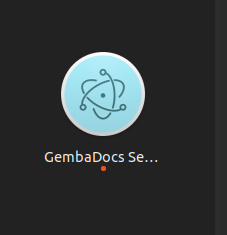
Launch the Setup Wizard: Open the applications menu of your Ubuntu system, search for "GembaDocs Setup", and launch the application.
Setup Password Required: Upon launch, the wizard will prompt you for a security password. This password will be provided by the GembaDocs Support Team once your account has been provisioned.
Server Connectivity & Access: Ensure that your Ubuntu machine:
Has direct SSH access to your target on-premises Ubuntu server.
Knows the Private IP Address of the target server.
Has the correct SSH login credentials (password or private key) for the server.
Visual Reference Guide:
Double-click any image to view it in full screen.
1. Open Setup Wizard
2. Enter Password
GembaDocs On-Premises Public IP Server Installation Requirements
Before starting the GembaDocs On-Premises installation, please ensure you have the following:
1. Public IP Address
The server must have a public IP address that is accessible from the Internet.
2. Domain Name
The domain name you will use to access GembaDocs On-Premises must point to the server’s public IP address.
3. SSL Certificate Files
Please keep the following SSL files ready:
Certificate File
Private Key File
CA (Certificate Authority) File
4. Server Access
The server user must have sudo privileges. It is recommended to use the root user for the installation.
5. Server Authentication
Please provide either:
Server password, or
SSH private key file, if the server uses SSH key-based authentication.
6. During Installation
Do not reload, close, or navigate away from this page while the installation is in progress.
Important Note
We do not store any of the credentials, keys, certificates, or other details provided during the installation process.
GembaDocs On-Premises Private Server Installation Requirements
Before starting the GembaDocs On-Premises private server installation, please ensure the following requirements are met:
1. System Network Access
The system running the GembaDocs On-Premises installer must be able to connect to and access the private server.
2. Supported Operating Systems
The installer can be run only on Ubuntu or Windows systems.
3. Installation Package
For Windows: Use the `.exe` installer.
For Ubuntu: Use the `.deb` installer.
4. Server Access Privileges
The server user must have sudo privileges. It is recommended to use the root user for the installation.
5. Server Authentication
Please provide either:
The server password, or
The SSH private key file, if the server uses SSH key-based authentication.
6. SSL Certificate Files
Please keep the following SSL files ready:
Certificate File
Private Key File
CA (Certificate Authority) File
7. During Installation
Do not reload, close, or exit the setup application while the installation is in progress.
Important Note
We do not store any credentials, passwords, SSH keys, SSL certificates, or other information provided during the installation process.
1
Server
2
Domain
3
SSL
4
Review
5
Install
🖥️
Remote Server Credentials
SSH access to your Linux server
Public IP or Hostname is required
Username is required
🔑 Password
📄 Private Key
Password or private key required
Paste the full contents of your .pem / id_rsa file
⚠️Note: SSH access must be with root user. we do not store any data on our server , its
being used for one time connection only.
🌐
Domain Configuration
The domain users will access GembaDocs on
Without http:// — e.g. app.acmecorp.com
Enter a valid domain (no http:// prefix)
📋 DNS: Make sure your domain's A record points to your server's public IP before starting.
🔒
SSL / HTTPS Configuration
Secure your installation with TLS certificates
Certificate file selection required
Private Key file selection required
⚠️Note: we do not store these files permanently on our server. Files will be deleted after
installation.
📋
Review & Confirm
Verify everything before installation begins
⚡
Installing GembaDocs
Live output from your remote server
Connecting…
remote shell — live output
$ Initializing…
✅
Setup Complete!
Your GembaDocs OnPrem application is up and running.